
Disclosure / Affiliate Notice:
As an Amazon Associate I earn from qualifying purchases.
Some links in this article may be affiliate links that earn me a commission at no extra cost to you.
A gaming setup often starts small — a console or PC on an existing desk, a regular chair, and whatever lighting is already in the room. Over time, discomfort appears: shoulder tension, glare on the screen, cables underfoot. Many assume the solution is buying high-end equipment, but most improvements come from adjusting the environment rather than upgrading hardware.
A comfortable gaming space depends more on positioning than price.
Screen Height Affects More Than Posture
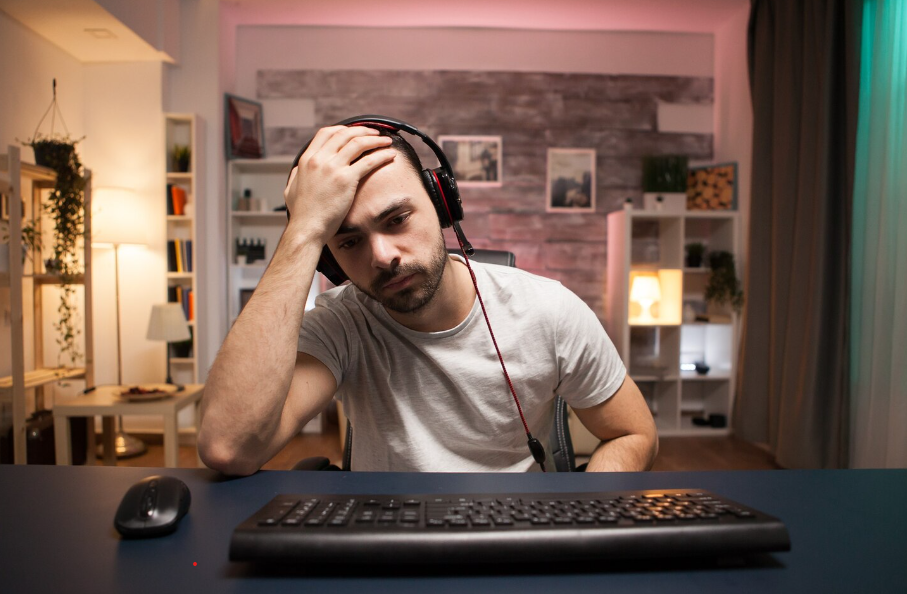
When the top of the screen sits too low, the neck bends forward. When it sits too high, the head tilts upward. Both positions create strain during longer sessions.
Ideally, the upper edge of the screen should be close to eye level when sitting upright. This keeps the neck neutral and reduces tension over time. Even a small adjustment in monitor height changes how the entire setup feels.
For desks that are not height-adjustable, a simple monitor stand can help bring the screen to a more natural level.
https://www.amazon.ca/s?k=gaming&crid=3P9MBHL7HBHJI&sprefix=gam%2Caps%2C300&linkCode=ll2&tag=897453-20&linkId=be8752aa522a999bd17739520e8b4186&ref_=as_li_ss_tl
Lighting Changes Eye Fatigue
Gaming in a completely dark room increases contrast between the screen and surroundings. While it may look immersive, the eyes work harder to adapt.
Soft ambient light behind or beside the screen reduces this strain. The goal is balance — not bright overhead lighting, but enough background light to avoid harsh contrast.
Chair Support Matters During Long Sessions
Many people focus on graphics quality but overlook how long they remain seated. A standard dining chair may feel fine for an hour but uncomfortable after three.
Support in the lower back area helps maintain natural posture. The chair does not need to be specialized for gaming — stability and proper alignment matter more than style.
Cable Placement Improves Movement
Loose cables create subtle tension. When feet constantly adjust around wires, posture shifts slightly forward. Over time this affects comfort.
Keeping cables routed behind the desk or along walls creates a clearer floor area and a calmer setup overall.
Sound and Room Acoustics
Hard walls and floors reflect sound, making even moderate volume feel intense. Adding soft materials like curtains or rugs reduces echo and makes the audio experience clearer at lower volume levels.
This improves immersion without increasing loudness.
A Setup That Supports Focus
A gaming space doesn’t need to be expensive to feel intentional. Adjusting height, lighting, seating, and layout often has more impact than upgrading devices.
Comfort allows longer, more enjoyable sessions — not because the equipment is premium, but because the environment supports it.
As an Amazon Associate I earn from qualifying purchases.
https://www.amazon.ca/s?k=gaming&crid=3P9MBHL7HBHJI&sprefix=gam%2Caps%2C300&linkCode=ll2&tag=897453-20&linkId=be8752aa522a999bd17739520e8b4186&ref_=as_li_ss_tl